COLOR SYSTEMS
Move the palette. Keep the relationships.
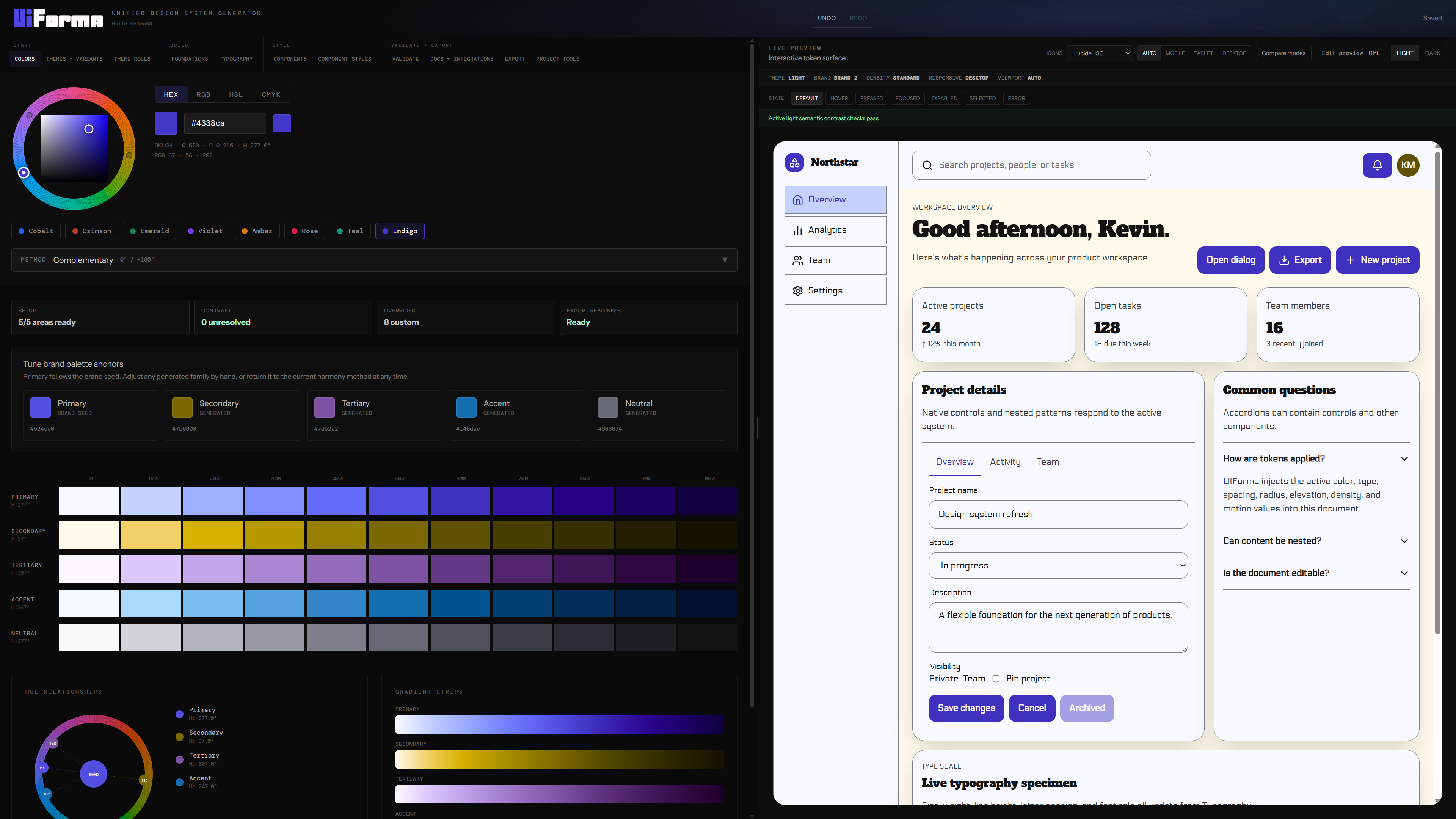
Generate perceptual scales from one seed and map them to semantic roles. Watch every action, surface, focus ring, and state update together.
 Open the builder ↗
A workbench for design-system decisions
Shape color, type, spacing, components, and modes in one browser-based workspace. UIForma keeps the preview, accessibility checks, and exported tokens connected to the same configuration.
01 / One connected workspace
The same interface responds as its system changes. Color, spacing, shape, type, elevation, and modes move together because they come from the same source.
COLOR SYSTEMS
Generate perceptual scales from one seed and map them to semantic roles. Watch every action, surface, focus ring, and state update together.
SPACING + DENSITY
Shift the spacing scale, control height, container padding, and component gaps without manually nudging every element.
SHAPE + SCALE
Tune radii, borders, button geometry, type scale, and responsive sizing while the interface stays coherent.
ELEVATION + MOTION
Grow and soften shadows, lift interactive surfaces, and coordinate motion timings from a shared elevation language.
MODES + VARIANTS
Compare light, dark, density, responsive, and brand modes against the same live component surface before exporting.
 UNIFIED DESIGN SYSTEM GENERATORSaved
Here’s what’s happening across your product workspace.
Native controls and nested patterns respond to the active system.
PRIMARY #4F46E5SPACE 16RADIUS 6SHADOW 02
UNIFIED DESIGN SYSTEM GENERATOR#4F46E5
neutral.50PASS
primary.600PASS
warning.400FIX
neutral.950PASS
Try warning.700 for a 5.34:1 ratio.
Your workspace is ready.
Your workspace is ready.
"color": {
  "action": {
    "primary": { "$value": "{color.primary.600}" }
  }
}LIVE PRODUCT STORYScroll or select a step
02 / The workflow
Build from a seed or import an existing DTCG or Tokens Studio project. Every edit updates one versioned configuration.
Preview themes and recipes, audit contrast and focus appearance, and compare named snapshots before restoring them.
Share a compressed project URL, download a portable UIForma file, generate documentation, or export implementation formats.
03 / Interoperable by default
Runs in your browser. Saves locally.
Open UIForma and start shaping a design system you can inspect, test, carry, and ship.
Open the builder ↗